


Setting Up
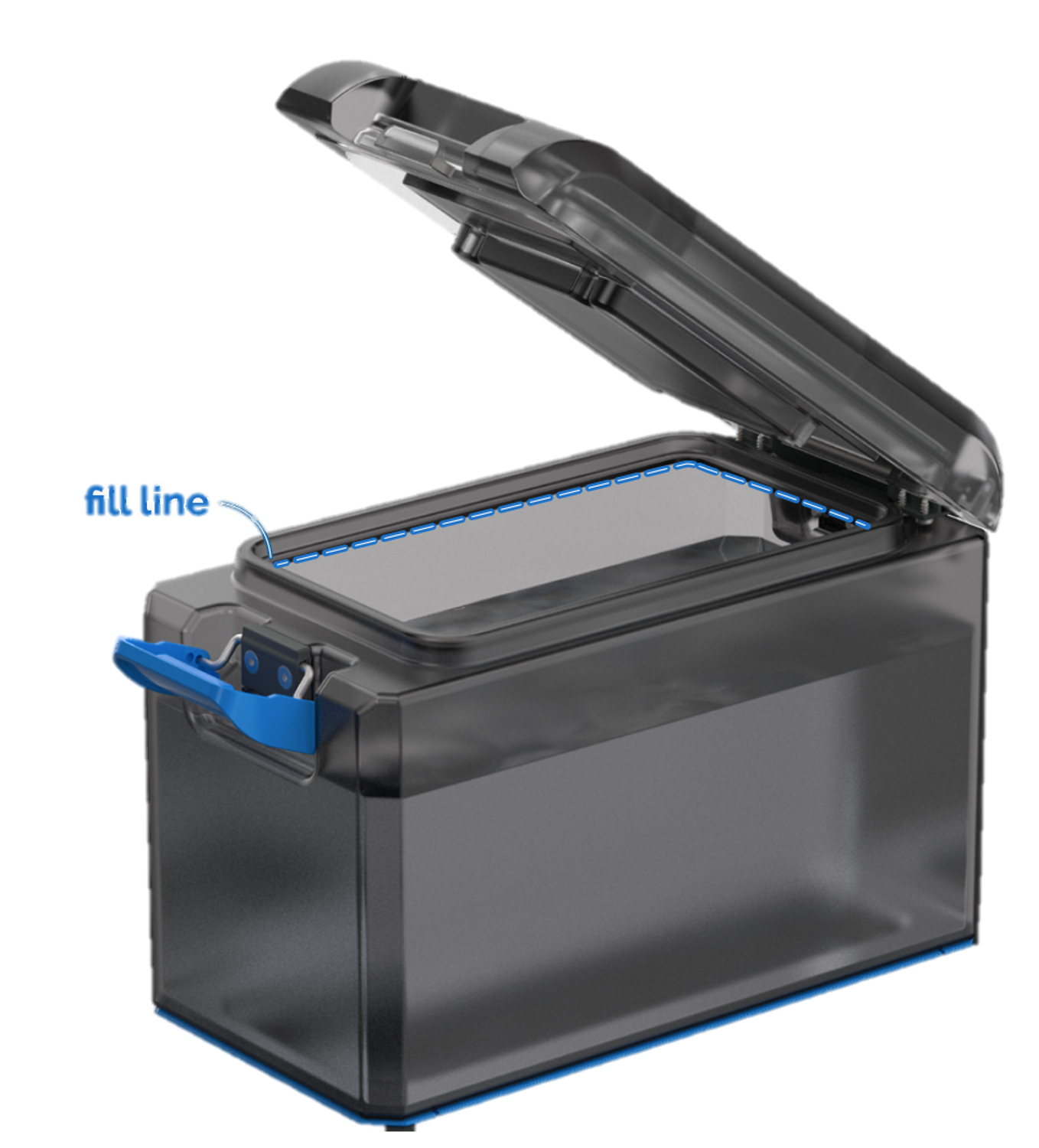
1. Fill up to the fill line, then securely close the lid.
2. Connect the shower hose and gas hose
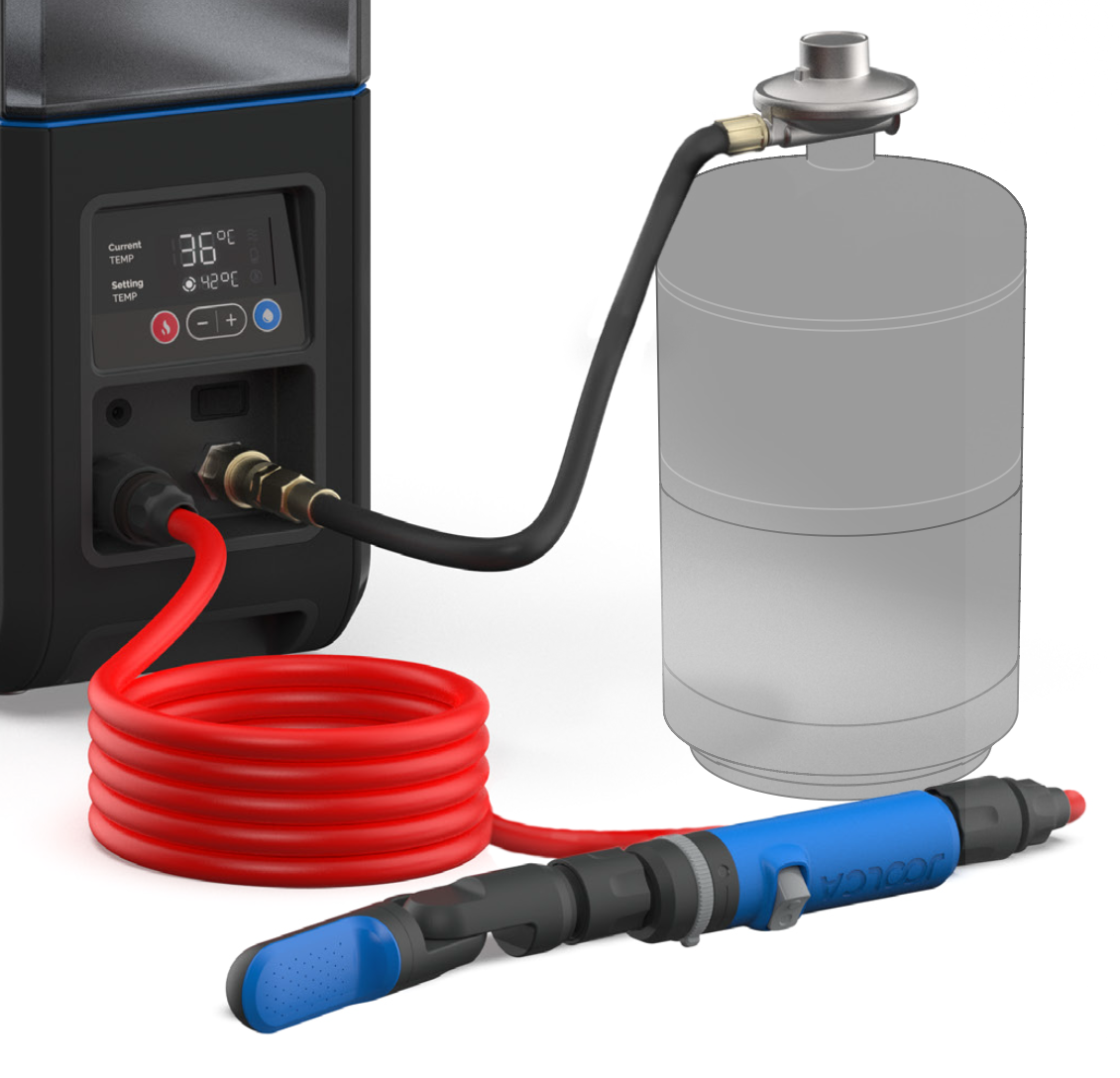
3. Connect your HOTTAP Go to a 12V power source using the included cigarette cable (or using the Power Bank power bank – sold separately).
4. Flick the power switch on.
5. Use the + / – buttons to set your desired temperature, then press the red “Heat” button to start heating.
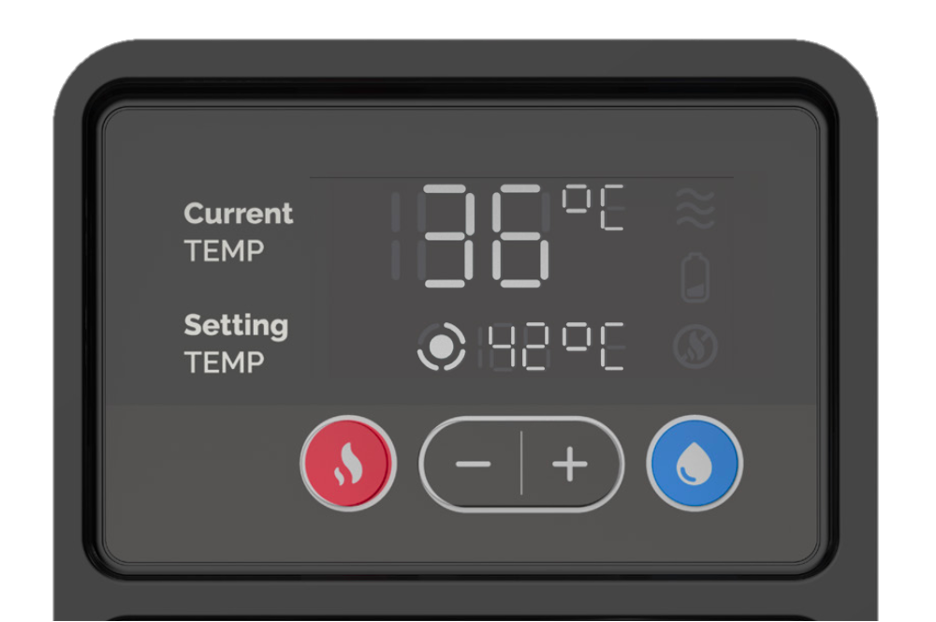
6. Wait for a beep sound when the water has reached temperature.
7. Make sure the shower handle switch is in the “Off” position, then press blue “Water Flow” when you’re ready to shower.
8. Turn the dial on top of the shower switch to control the water flow coming out of you the showerhead.
8. Turn the dial on top of the shower switch to control the water flow coming out of you the showerhead.
Packing Up
Important: Before storing, make sure the unit is off and cool to the touch.
1. Drain your HOTTAP Go
- Disconnect the shower hose from the unit.
- Press the “Water Flow” button to push out most of the remaining water.
- Tip the unit carefully to fully empty any leftover water.
- (Optional) You can remove the internal filter to help drain a little more water, but this usually isn’t necessary.
2. Wipe out the interior of the reservoir or leave open to dry.
3. Disconnect the 12V power supply and gas hose
4. Keep all accessories inside for convenient storage, including your small propane tank.
5. Store in a cool and dry place.